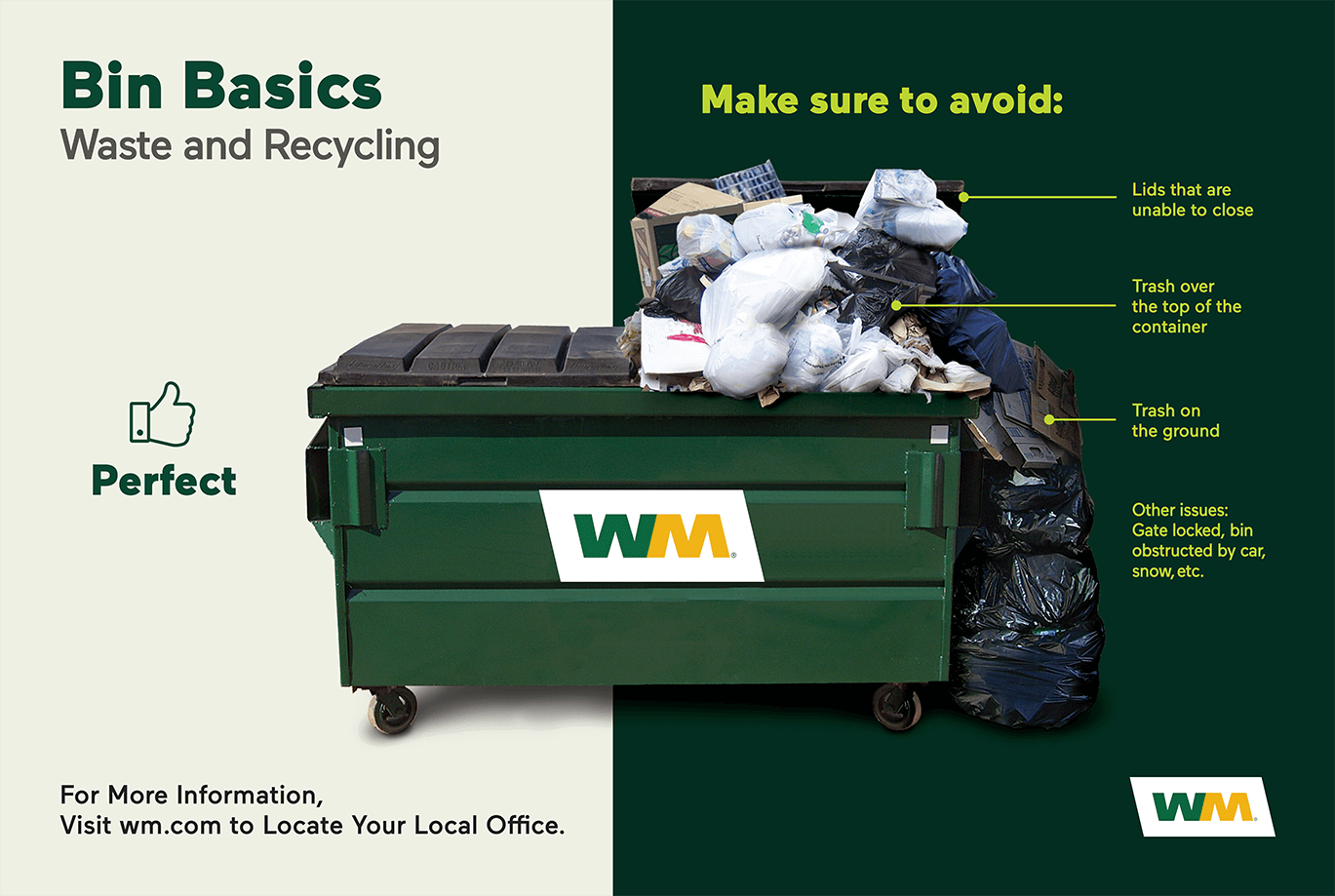
An overloaded container happens when trash or recycling extends above the rim, keeping the lid from closing all the way or spilling onto the ground around it. It also includes any items placed on top of closed container. Overages may result in a missed pickup or an extra charge on your account (varies by market area).
If you notice overages occurring frequently, it might be time to adjust your service to better fit your needs. Here are some steps you can take:
Evaluate Your Waste Volume: Assess how much waste you generate regularly. If your current container size is insufficient, consider upgrading to a larger one or adding an additional container by clicking here.
Schedule Additional Pickups (Business Customers Only): If you occasionally have more waste than usual, scheduling extra pickups can help manage the overflow.
Properly Dispose of Large Items: Ensure large items are disposed of correctly to avoid overloading your container. Click here to see if bulk trash pickup is available in your area for large items.
Information in this article may be inapplicable to customers who receive service pursuant to a WM agreement with a municipality, association or other entity, or where applicable law requires differing terms of service.
Tell us how you want to connect and we'll put you in touch with an agent.
