
WM Palmdale observes the following holidays:
Memorial Day
Independence Day
Labor Day
Thanksgiving Day
Christmas Day
If your service day falls on or follows one of these observed holidays, your service will be delayed by one day for that week only.
At WM we're proud to take care of our Palmdale neighbors — and our planet — with residential trash pickup, organics and recycling services.

The city has chosen WM to provide waste pickup, but you'll need your own WM profile to ensure proper service and billing. Enter your address and we'll help you get set up.

WM Palmdale observes the following holidays:
If your service day falls on or follows one of these observed holidays, your service will be delayed by one day for that week only.
Quick access to My WM and more tools to manage your service.
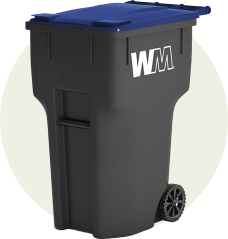
Place cart on the street with wheels against the curb by 6 a.m. on collection days and remove same day. Keep cart at least four feet from parked cars, mailboxes and other obstacles that may prevent WM team members from picking it up.
All trash should be bagged. Don’t overfill your cart – the lid must close tightly. Overflow and materials outside may be subject to additional charge or will not be collected.
Beginning January 1, 2022, SB 1383 requires Californians to sort and separately collect food scraps, yard debris and food-soiled paper from trash and recycling. This means food scraps are no longer acceptable in your trash container. Visit What Is SB 1383? for more information.
Acceptable items include standard household trash like chip bags, plastic bags, & textiles (donate if lightly used).
Non-acceptable items include construction waste, auto parts, tires, household hazardous waste (paint, oil, household cleaners), medical or electronic waste and food scraps.
Sign up for new service online, any time by entering your address in the Set Up Your Service section above.
Did you know you can get updates on your service ETA by signing up or logging in to your My WM account? If containers were curbside by the specified time and were not emptied, you can also report a missed pickup online. On the main dashboard, locate the services card. Click details on current service to submit your missed pickup request.
Missed pickups must be reported within three (3) days and will not be eligible for recovery pickup if your container was not out or was blocked at the time of service. Visit our support article for more details.
Additional containers are available for a fee. Click here to request help with changes to your service.
Sign up or log in to your My WM account. Locate the appropriate service card (trash, recycling, organics, etc.) on the main dashboard and select “Container Issue” and follow the prompts to submit.
Questions? Unable to submit your request? Please scroll to the bottom of the support article to "Request Help".
These documents contain important information related to your WM services. We recommend you print or download them for quick reference.
Find a solution online or connect with a support agent.